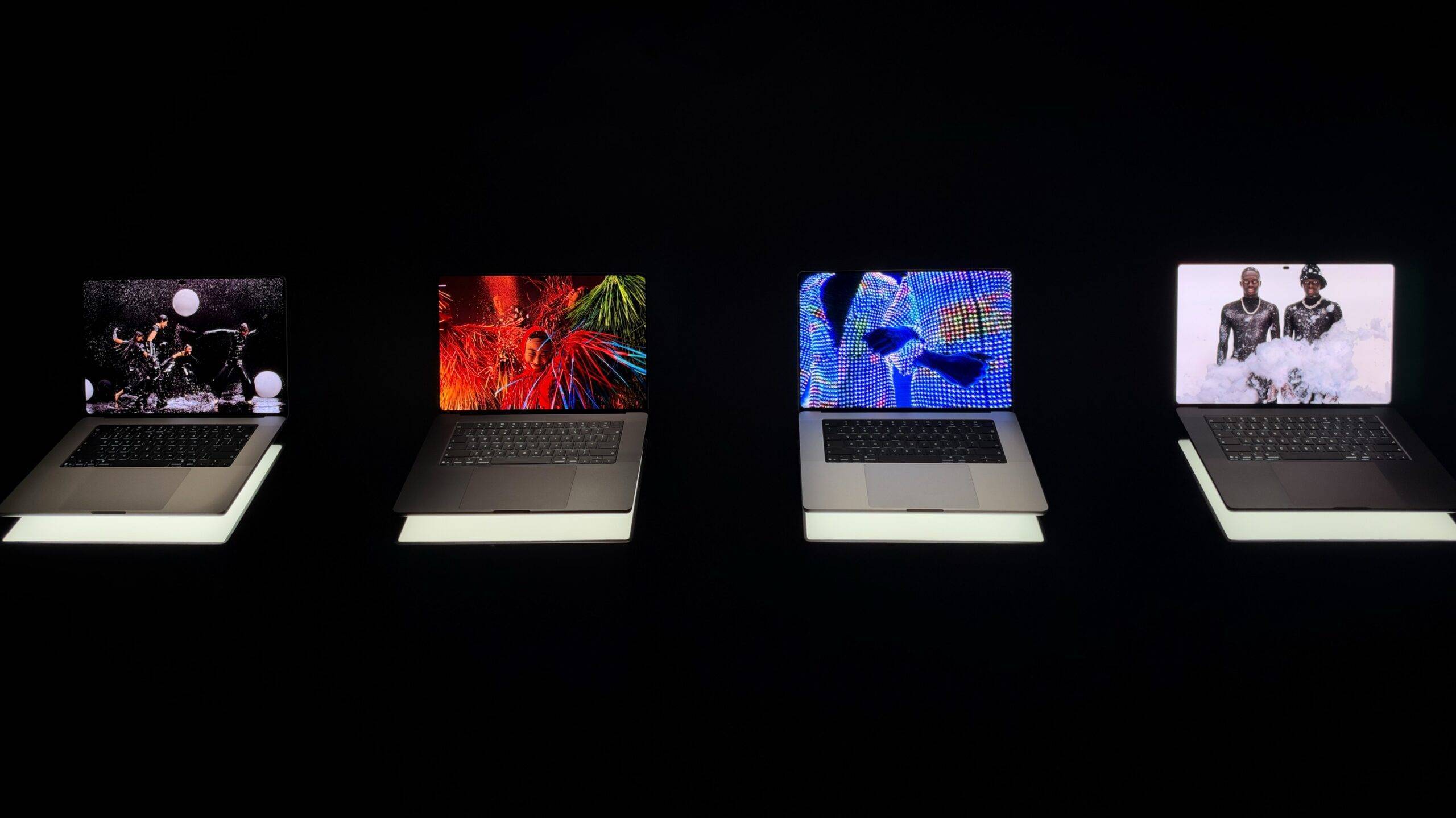
As Apple’s official website officially launched the new touch screen MacBook Pro, Ai Faner also experienced this latest touch screen computer at the Apple event in Los Angeles at the same time.
Apart from anything else, just seeing the return of the A-side illuminated Apple logo is enough to touch some old Apple users.
After all, this Apple lamp used to “borrow light” from the LCD backlight layer. Now it is replaced by a self-illuminating OLED screen. Apple most likely added a separate light-emitting module to achieve this effect——
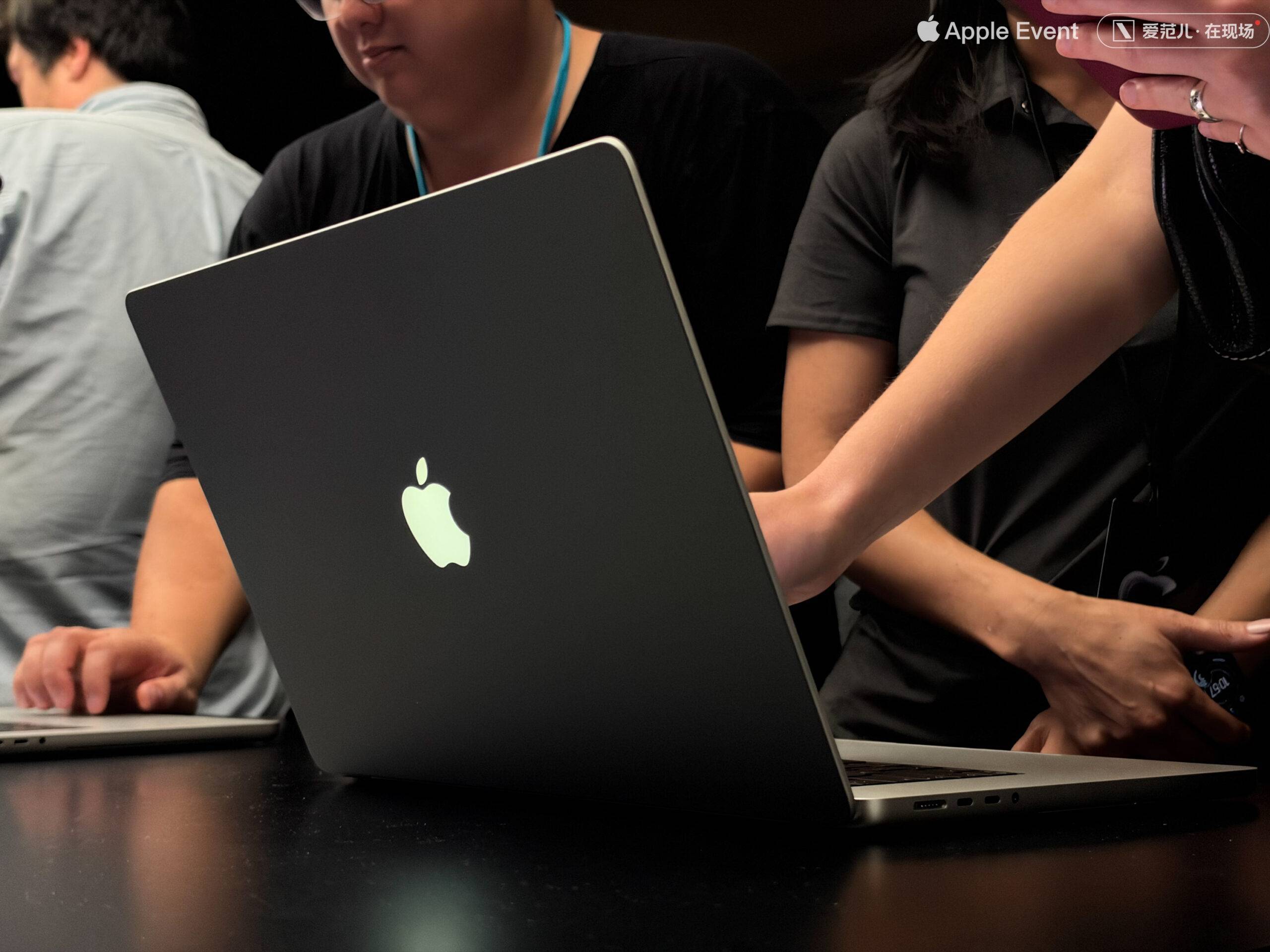
From this small detail, we can actually see the difference in thinking between Ternus and Cook.
Going back to the touchscreen MacBook Pro, its basic operation methods are basically the same as the logic on the trackpad, iPad and iPhone, such as opening a photo to zoom in with two fingers, manually rotating 3D maps, etc.
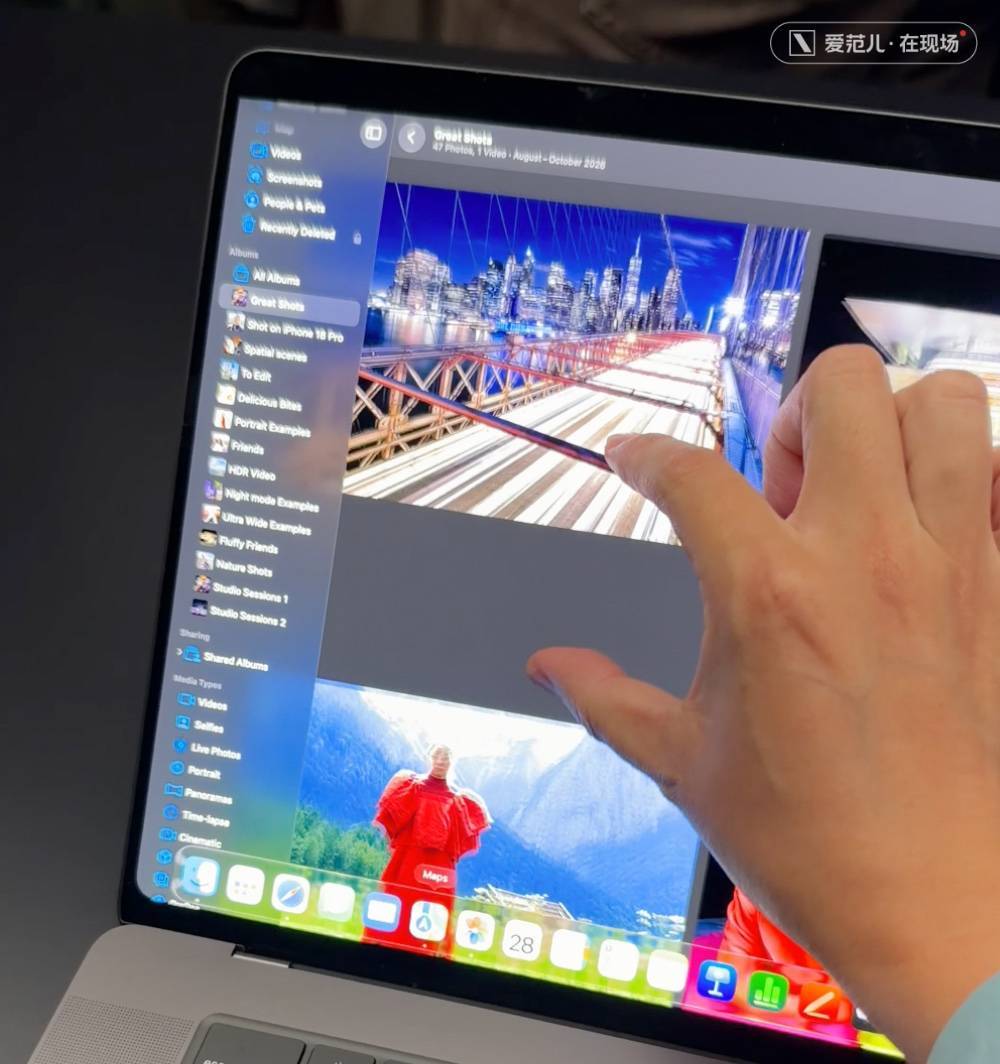
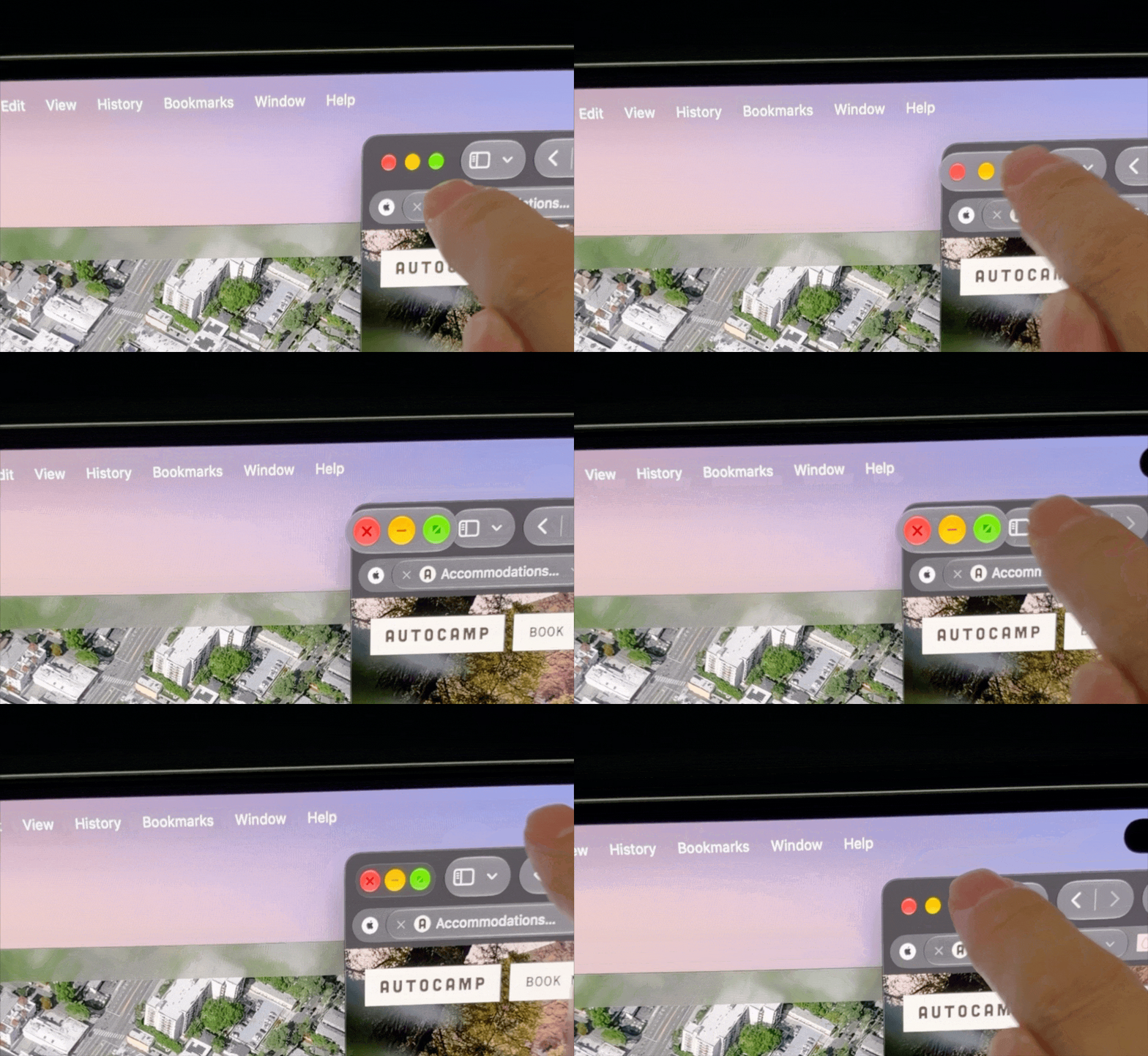
In very detail, Apple has made some ergonomic optimizations specifically for the “touch” action in macOS 27 Golden Gate——
For example, when you want to click the traffic light control button in the upper left corner of the window with your hand, the button will actively enlarge the button operation area for clicks just like iPadOS detects the cursor or Apple Pencil:
In addition to basic system operations, Apple has also completed some relatively intuitive adaptation work in other software.
Unlike Windows, where the touch screen is always recognized as “press and hold to select”, in editing software like Final Cut Pro, you can now drag the timeline and materials directly with your hands, which is even more intuitive than using the mouse wheel:
Of course, as a surface that requires interaction, the stability of the MacBook Pro’s screen axis is a very critical indicator.
This year’s new MacBook Pro still maintains the fine tradition of being able to be opened and closed with one hand. The maximum opening and closing angle is not significantly increased compared to the old mold. It is definitely impossible to flatten it 180 degrees like the Win laptop –
And Apple mentioned on its official website that it has upgraded the stability of the hinges. However, according to our on-site operating experience, although the screen stability of the touch-screen MacBook Pro is stronger than that of most notebooks, it is still not at a “very stable” level.
Changing to an OLED screen means that the peak brightness, black field, contrast and other indicators of the new MacBook Pro can be further improved compared to the previous mini-LED backlight, and the screen module can also become thinner and lighter.
This slimming down is reflected in the paper data. Compared with the previous generation, the touchscreen version of MacBook Pro is more than 200 grams and more than 300 grams lighter respectively. The thickness of the body is also reduced by about 0.5mm and 1mm, and the hand feel is slightly improved:
Updating the OLED screen also means that MacBook Pro can finally enter the hole-digging era——
The Touchscreen MacBook Pro’s Smart Island actually looks likeA shortened version of iPhone 18 Pro Smart Island,The visual intrusion is slightly weaker than the previous big bangs:
This time, the new MacBook Pro also supports the sliding operation of the home screen. Swiping down from the smart island position can directly open the Siri AI and focused search dialog box. The logic is also consistent with the iPhone.
With Smart Island, various real-time activities finally have a serious space of their own.
After all, on the previous MacBook with notch screen, the real-time activities synchronized by the mobile phone would be compressed in the gap between the status bar and the notch, which looked as uncoordinated as a third-party tool. The visual look and feel on the touch-screen MacBook Pro has been greatly improved——
In any case, whether it is at the event or behind the scenes, the editors of iFaner are most concerned about “Why does Apple want to put a touch screen on MacBook?”
I think that in some scenarios, the touch screen is indeed more convenient than the trackpad, such as enlarging photos, dragging materials, rotating 3D maps, etc.——
At these times, “touch screen” can provide an icing on the cake.
But I also feel that despite these icing on the cake, Apple still has not substantially solved the problem of fatigue when operating with hanging arms.
If there are only these scattered scenes and the icing on the cake operating frequency, coupled with the lack of support for Apple Pencil, it will feel like this is an abrupt feature that lacks “Apple-style thinking”——
Adding a touch screen to the MacBook Pro neither integrates or complements the existing system functions, nor does it open up any new ways of using it that have never been used on notebooks.
If you really want to talk about the actual experience, the thinner OLED screen, the vertically aligned screen rounded corners, the slightly thinner body, and even the glowing Apple logo itself are all more realistic upgrades than the “touch screen”.
In short, if you are impressed by the illuminated Apple logo and want to upgrade your touchscreen MacBook Pro, it still has 14- and 16-inch, M5 Pro and M5 Max, 24 to 128GB of memory, and 1 to 16TB versions available.
Among them, the lowest-priced 14-inch M5 Pro 24+1TB model will cost you 22,999 yuan. If you are strong, then choose the top-end 16-inch M5 Max 128+16TB model, and the price can reach 112,624 yuan.
Related Reading
- The newly crowned richest woman in China has cut her company’s net profit in half!2026-10-29
- Humanoid robots are about to produce big results!2026-10-29
- So weird! The drone carrying a coffin up the mountain shocked the entire Internet. How will AI change the funeral industry?2026-10-29
- Original Muses, do you still need a pair of AI glasses?2026-10-29
- Hongguo shakes Tencent Games? True stories of 5 players2026-10-28